Networking, Technology, Commands, Social Media, Wireless Home,Local area Networks
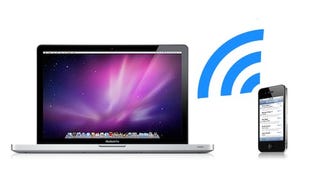
Top 10 Uses for Wi-Fi (That Aren't Just Connecting to the Internet)
Get link
Facebook
X
Pinterest
Email
Other Apps
-
Zeeshan Mir Baz has collected the information from this website:https://lifehacker.com/5671482/top-10-household-uses-for-wi-fi-that-arent-just-connecting-to-the-internet in this article
said that:
Having the ability to connect to the internet anywhere we go is
undoubtedly awesome, but it isn't the only gift Wi-Fi technology has
given us. Here are our 10 favorite uses for Wi-Fi that go beyond
accessing the web.
8. Forward Notifications from Your Smartphone to Your PC
If you're rocking an Android phone (and most of you are), you can send call, SMS, and battery notifications straight to your Windows, Mac with Growl, or Linux PC over Wi-Fi with Android notifier.
No more do you have to deal with the ringing and buzzing phone from
across the room when you're already sitting at your PC. If you prefer to
be able to take action on these items, you can always forego the Wi-Fi
and send them over GTalk with TalkMyPhone instead.
7. Tether Your Smartphone to Your Computer for Internet Anywhere
Okay,
so we kind of cheated on this one—it does involve connecting to the
internet, but it's definitely not in the traditional way people use
Wi-Fi (especially because you often need a hacked or rooted device to do
it). Instead of searching around for regular Wi-Fi networks wherever
you go, you can just use your phone as a wireless router and connect to
your phone's internet service with your PC. Whether you have a rooted Android phone and the Wireless Tether app, a Jailbroken iPhone with PDAnet, or a manually hacked-to-tether Palm Pre, you'll never be without internet again—as long as you have cell phone signal, of course.
6. Stream Movies to Any TV in the House
Instead of having a giant collection of DVDs or ripping your movies to every XBMC box you have in your house, you can build yourself an affordable home media server and stream video over Wi-Fi to any other HTPC (or Xbox or Playstation)-enabled TV in the house. Whether you use Windows Media Center, XBMC, or something as simple as aGoogle Media Server Widget for Windows,
the possibilities are nearly endless—you can use any number of
operating systems, applications, and protocols to get your movies
wirelessly from one computer to another.
3. Wirelessly Transfer Photos from Your Digital Camera
If you're sick of plugging your SD card into your PC's card reader to
transfer photos (or if your computer doesn't have a card reader), the previously mentionedEye-Fi wireless SD card
is the perfect companion for your digital camera. You never even need
to take it out of your camera—whenever it's connected to the same
network as your computer (or iOS device),
it will transfer photos right over for you. And, if you want, you can
even have it automatically upload photos to sites like Flickr, Facebook,
and Picasa.
2. Tell Your Phone When Its Home (or Not)
We've shown you how to turn your Android phone into an automated superphone with Tasker,
and one of the best triggers for a Tasker action is to start a service
or launch an application whenever you return home. While GPS is a great
way to notify your phone of its location, it's only accurate to a
certain radius, and depending on where you live it might even be hard to
get a fix on the satellites (plus it drains battery like nobody's
business). Another way to tell your phone when you're home—as in, inside
your house—is to create a Tasker profile that detects when you're
connected to your home network. On the other side of the coin, you can
always roll your own Find my iPhone clone for Android, using Wi-Fi to detect when it's somewhere other than where it should be.
1. Sync Your Music Library, Photo Library, or Other Files with Your Smartphone USB-Free
Zeeshan Mir Baz has collected the information from this website:https://www.studytonight.com/computer-networks/connection-oriented-and-connectionless-service in the article said that: Network Topology is the schematic description of a network arrangement, connecting various nodes(sender and receiver) through lines of connection. BUS Topology Bus topology is a network type in which every computer and network device is connected to single cable. When it has exactly two endpoints, then it is called Linear Bus topology . Features of Bus Topology It transmits data only in one direction. Every device is connected to a single cable Advantages of Bus Topology It is cost effective. Cable required is least compared to other network topology. Used in small networks. It is easy to understand. Easy to expand joining two cables together. Disadvantages of Bus Topology Cables fails then whole network fails. If network traffic is heavy or nodes are more the performa...
Zeeshan Mir Baz has collected the information from the website:https://https://www.techwalla.com/articles/difference-between-wi-fi-free-high-speed-internet-service in this article Mr Andrew Meer said that: The general idea behind both T1 and T5 lines is to provide high-speed and reliable Internet access. T1 lines have been used for over a decade, mainly by businesses requiring critical connections to the Internet. T5 lines are newer and mostly still in development as of 2010. However, it is expected T5 lines will surpass T1 lines in terms of reliability and speed. credit: Pixland/Pixland/Getty Images Technology T1 lines use a special type of telephone to transfer data with the service provider. The telephones lines are made out of twisted copper or with bundled glass fibers, which are more commonly known as fiber optics. T5 lines use coaxial cables to transfer data, a type of electrical cable first developed to be a part...
Zeeshan Mir Baz has collected the information from this website:https://www.networkcomputing.com/storage/10-hot-technology-trends-2016/520323524 in this article 01/15/2016 5:09 PM CYNTHIA HARVEY said that: What's in store for enterprise IT in the coming year? Everything from IoT and microservices to wearables and virtual reality. At the beginning of every new year, technology analysts and pundits love to speculate about the new advances the next twelve months might bring. Countless organizations publish their forecasts of what will happen in the technology industry. At Network Computing, we've combed through a lot of the expert opinions and generated our own list of trends that will be important this year to people involved in IT infrastructure. Some of these trends --like the Internet of Things and cloud computing -- are household words in t...


Comments
Post a Comment